

New to Cline CLI? This sample assumes you have already completed the Installation Guide and authenticated with
cline auth. If you haven’t set up Cline CLI yet, please start there first.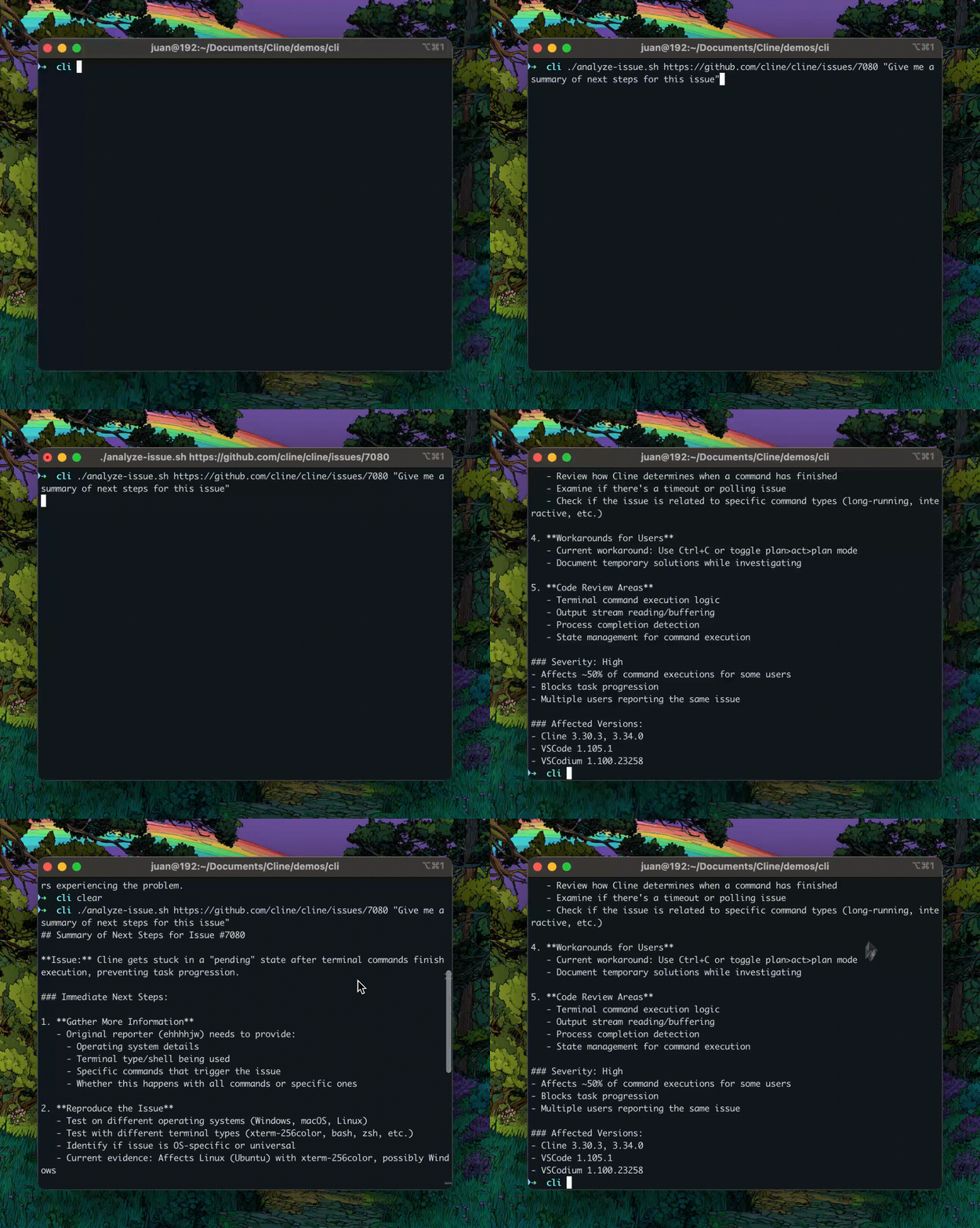
Prerequisites
This sample assumes you have already:- Cline CLI installed and authenticated (Installation Guide)
- At least one AI model provider configured (e.g., OpenRouter, Anthropic, OpenAI)
- Basic familiarity with Cline CLI commands
- GitHub CLI (
gh) installed and authenticated - jq installed for JSON parsing
- bash shell (or compatible shell)
Installation Instructions
macOS
These instructions require Homebrew to be installed. If you don’t have Homebrew, install it first by running:
Linux
Getting the Script
Option 1: Download directly with curlClick to view the complete analyze-issue.sh script
Click to view the complete analyze-issue.sh script
After downloading or creating the script, make it executable by running:
Quick Usage Examples
Basic Usage
Run this command in your terminal from the directory where you saved the script to analyze an issue with the default root cause prompt:- Fetch issue #123 from the repository
- Analyze the issue to identify root causes
- Provide detailed analysis with recommendations
Custom Analysis Prompt
Ask specific questions about the issue:The script will automatically handle everything: fetching the issue, analyzing it with Cline, and displaying the results. The analysis typically takes 30-60 seconds depending on the issue complexity.
How It Works
Let’s analyze each component of the script to understand how it works.Argument Validation
The script validates input and provides usage instructions:- Validates required GitHub issue URL
- Shows clear usage examples
- Supports optional custom prompt
Argument Parsing
The script extracts and sets up the arguments:ISSUE_URL="$1"- First argument is always the issue URLPROMPT="${2:-...}"- Second argument is optional, defaults to root cause analysis- The SDK CLI runs the task directly, so no address flag is required.
The Core Analysis Pipeline
This is where the magic happens:Pipeline Breakdown: Understanding Each Component
Pipeline Breakdown: Understanding Each Component
1.
cline --auto-approve true --json "$PROMPT: $ISSUE_URL"clineis the Cline CLI binary- Act mode is the default for prompt runs
--auto-approve trueallows tool use without interactive prompts--jsonemits newline-delimited JSON for parsing- Constructs prompt with issue URL
jq -r 'select(.type == "agent_event" and .event.type == "done") | .event.text'- Filters for the final agent
doneevent - Extracts the final text field
-routputs raw strings (no JSON quotes)
sed 's/\\n/\n/g'- Converts escaped newlines to actual newlines
- Makes output readable
Sample Output
Here’s an example analyzing a real Flutter issue:When to Use This Pattern
This script pattern is ideal for various development scenarios where automated GitHub issue analysis can accelerate your workflow.Bug Investigation
Quickly analyze bug reports and identify root causes without manual code exploration:Feature Request Analysis
Understand context and implications of feature requests:Security Audits
Assess security implications of reported issues:Documentation Generation
Generate detailed technical documentation from issues:Code Review Assistance
Get second opinions on proposed changes:Conclusion
This sample demonstrates how to build an autonomous GitHub issue analysis tool using Cline CLI:- Building autonomous CLI tools using Cline’s capabilities
- Parsing structured JSON output from Cline CLI
- Creating flexible automation scripts with custom prompting
- Integrating with GitHub for issue analysis
- Handling command-line arguments effectively